

tests/ checks the claims these docs make, on a real browser, and writes every result to a file. Latest results is generated from those files.
It has two tiers.
Offline tier
A local server serves a probe page. The probe reads what a page can read about the machine from six places: the window, a same-origin iframe, a cross-origin iframe, a dedicated worker, a shared worker and a service worker. It also records the HTTP headers of the page request and of afetch from each context, and posts everything back to the server.
The browser is launched two ways for each persona and seed:
- bare: the binary with switches and no automation at all. The page drives itself.
- package: the Python package’s
launch(), through Patchright, the way a user’s script launches it.
With three personas, two seeds and both launch modes, the offline tier is about 300 tests. It took 43 seconds on an Apple M4 Max.
Chromium itself adds per-origin noise to
navigator.connection.downlink and rtt, so those two values are checked within 10% instead of for equality. Everything else must match exactly.
Live tier
Each detector page is loaded in a new tab of a browser launched through the Python package, with GeoIP on, as a user’s script would. The tier runs only with--live.
--controls playwright,chrome loads the same pages in stock Chromium and in Google Chrome, both through plain Playwright, on the same machine and network. Controls are recorded, not judged: they show what the same network gets without Apostate.
Live results depend on the network. An IP address that a detector has seen misuse lowers every browser’s result, so the results file records the network, and a proxy run should use the proxy you use in production (APOSTATE_PROXY).
Outcomes
Screenshots
A manual run of a Windows persona on an Apple silicon Mac, Chromium 152.0.7977.83, on 2026-09-27. The IP address and location fields are hidden.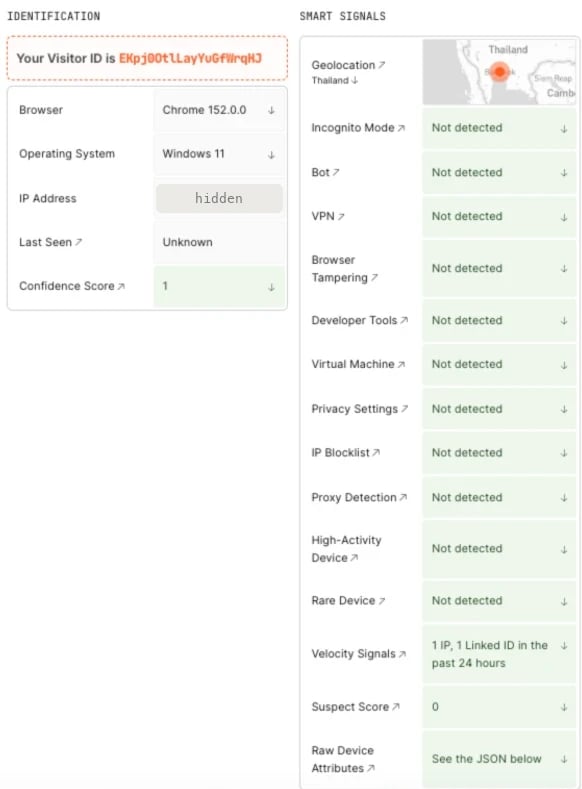
FingerprintJS Pro playground: suspect score 0, every smart signal not detected
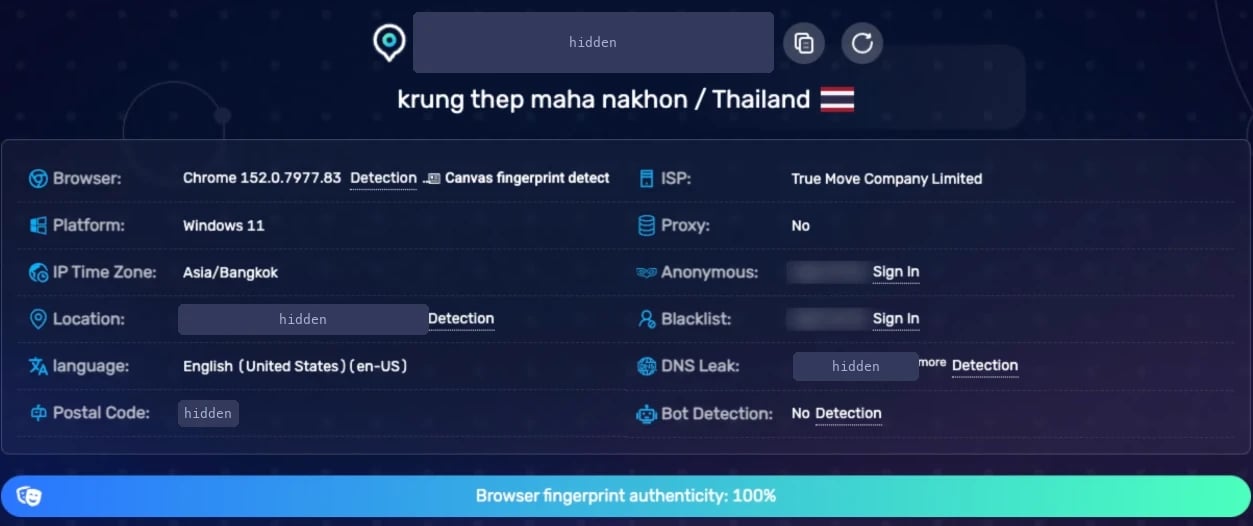
BrowserScan: browser fingerprint authenticity 100%
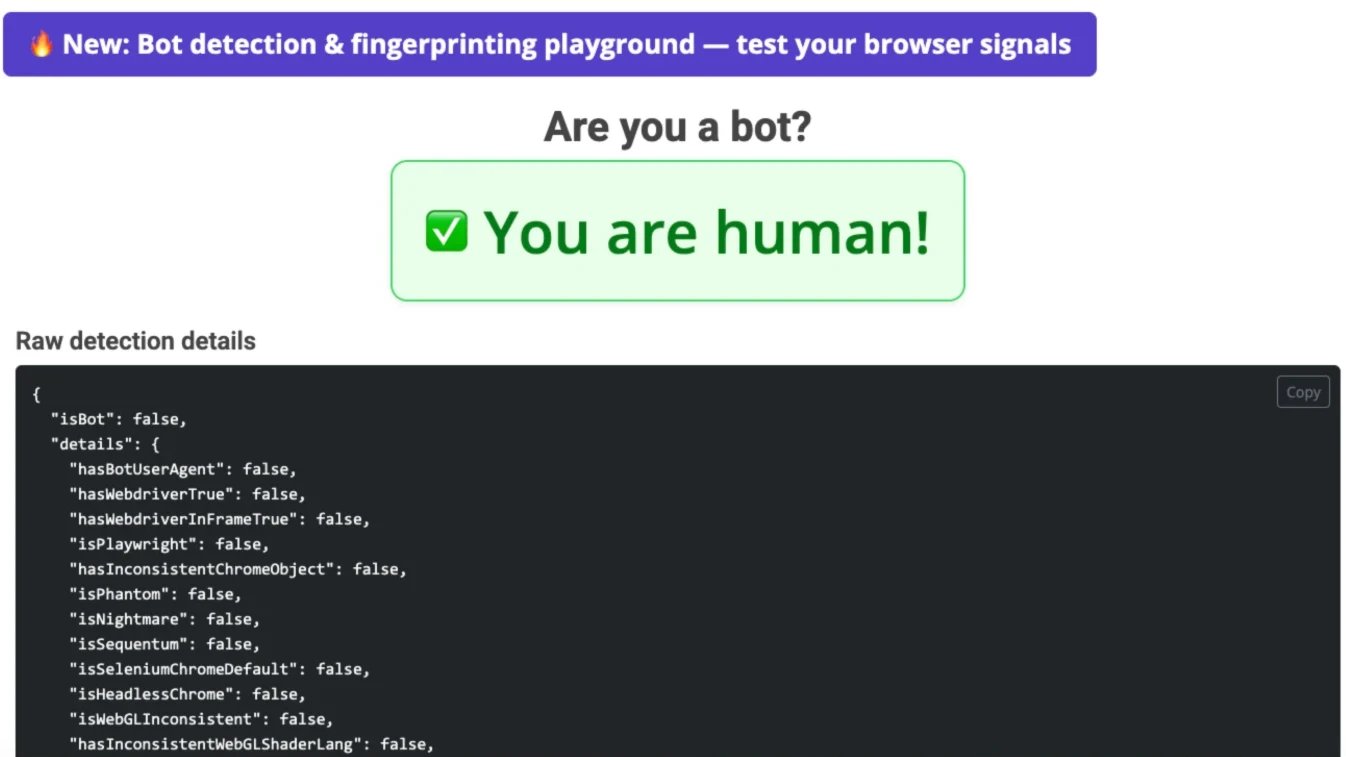
deviceandbrowserinfo.com: isBot false
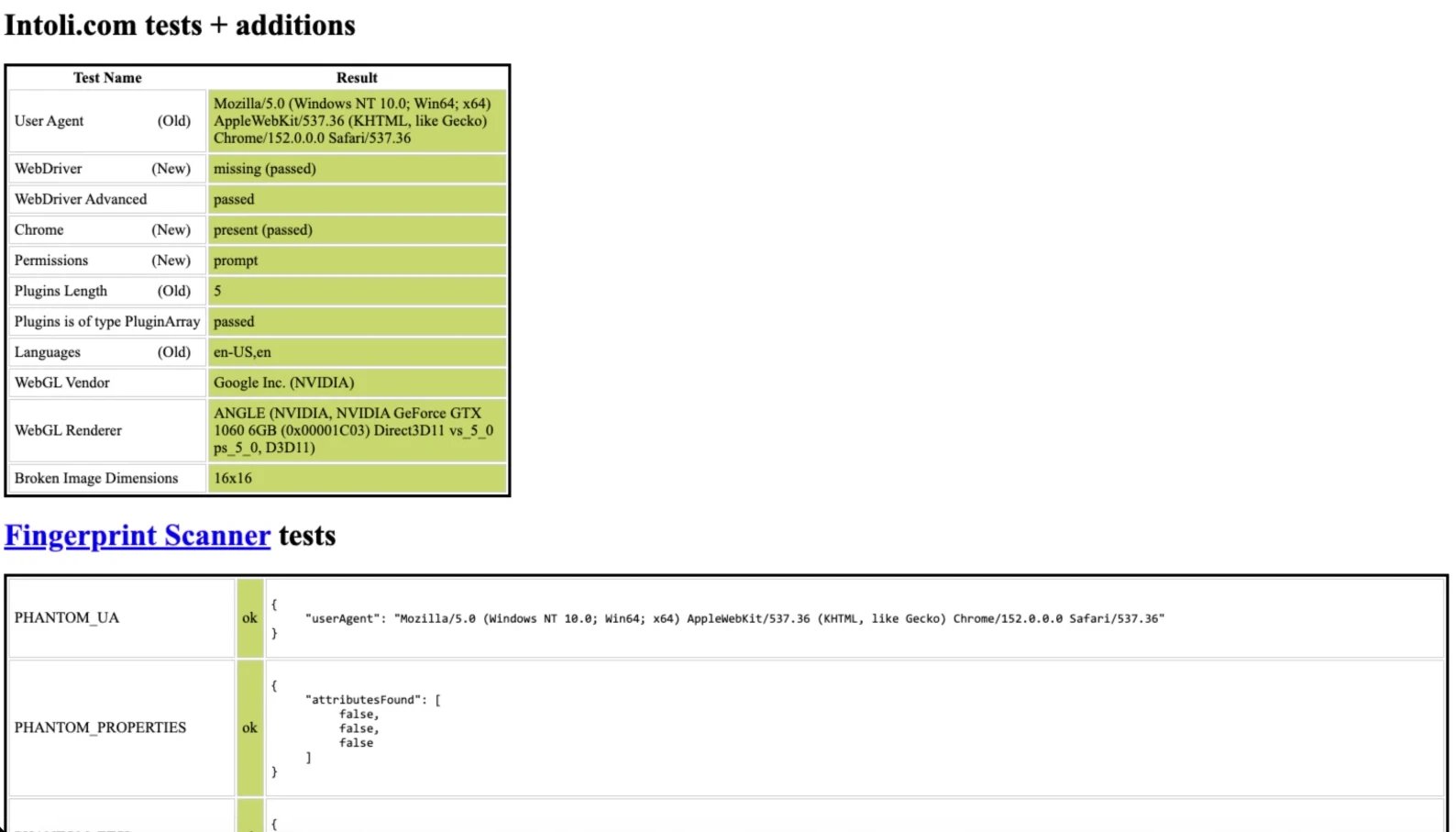
bot.sannysoft.com: every test passed
What it does not test
- Behaviour: mouse movement, typing rhythm, timing between actions. Sites that score behaviour see what your script does.
- IP reputation. The live tier records the network, but it cannot tell you how a detector rates a proxy you have not run it through.
- Rendering pixels against real hardware. Canvas and WebGL images are drawn by the host; Known gaps covers what that means.
- Commercial detectors behind a login. Measure with FingerprintJS Pro covers the one public playground in depth.